

Logs
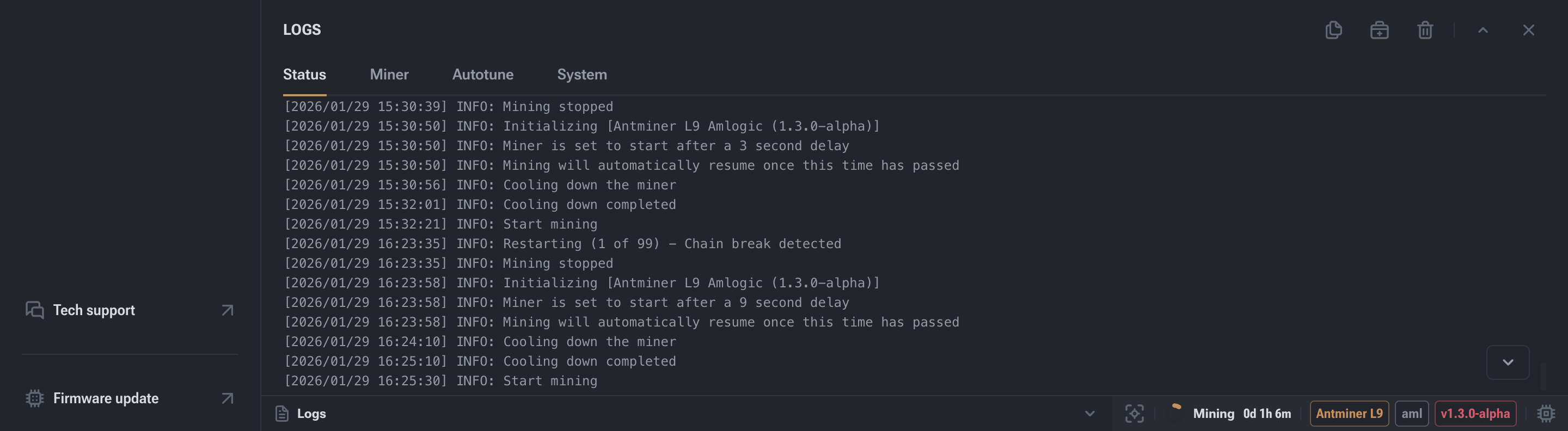
This section displays system and mining events in real time and is used for diagnostics and performance analysis.
Section Purpose
Logs are the primary technical tool for:
- troubleshooting issues;
- analyzing operational stability;
- understanding firmware behavior;
- providing accurate information to technical support.
This section shows the system event log related to mining startup, operation, and shutdown.
Log Categories
For easier analysis, logs are divided into several groups:
Status
General system-level mining events:
- mining start and stop;
- device restarts;
- warnings;
- temperature-related events.
Miner
Low-level ASIC events:
- hash board operation;
- frequencies and voltages;
- chip errors;
- hashrate deviations.
Autotuning
Logs of the automatic parameter adjustment process:
- searching for stable frequencies and voltages;
- stabilization attempts;
- rollbacks to safe values.
System
Device operating system processes:
- OS boot;
- service startup;
- firmware updates;
- kernel errors.
Log Control Buttons

Service actions available on the right side of the window:
- Copy — copies current logs to the clipboard.
- Diagnostic Report — saves a log file for support.
- Clear Logs — removes selected log categories.
- Collapse / Expand — controls window display.
- Close — exits the logs section.
Clearing Logs
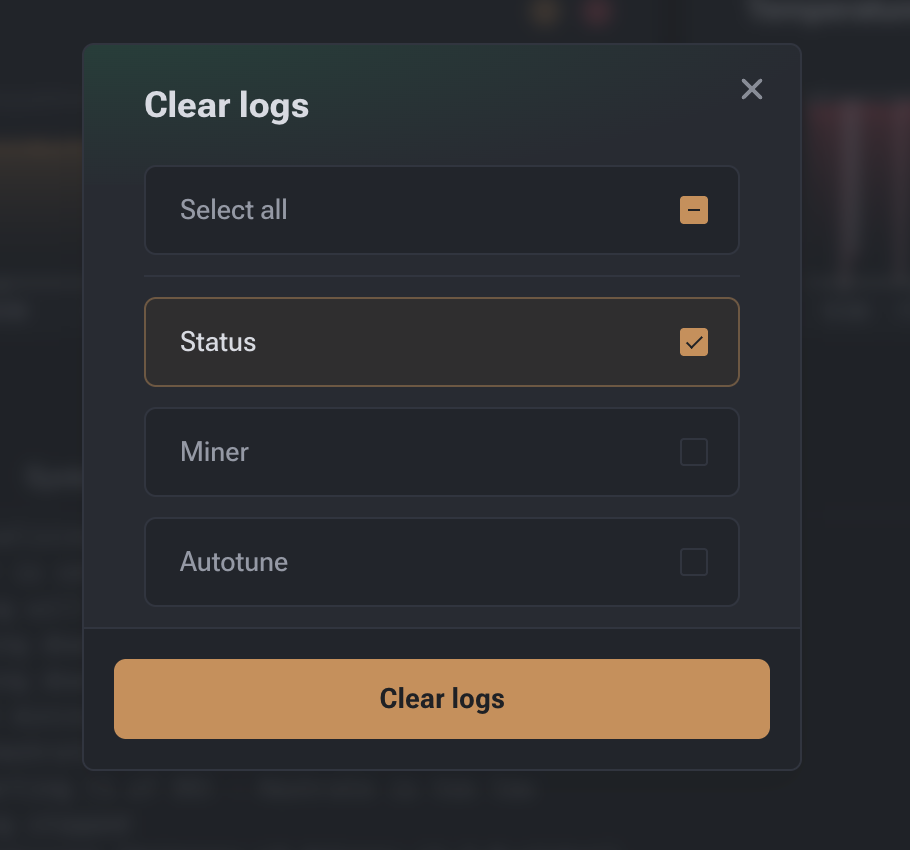
Clearing logs is useful before testing new profiles or changing settings.
The “Clear Logs” button allows you to remove selected categories:
| Category | What is cleared |
|---|---|
| Status | General system events |
| Miner | Data related to boards and ASIC chips |
| Autotuning | Autotuning history |
Diagnostic Report
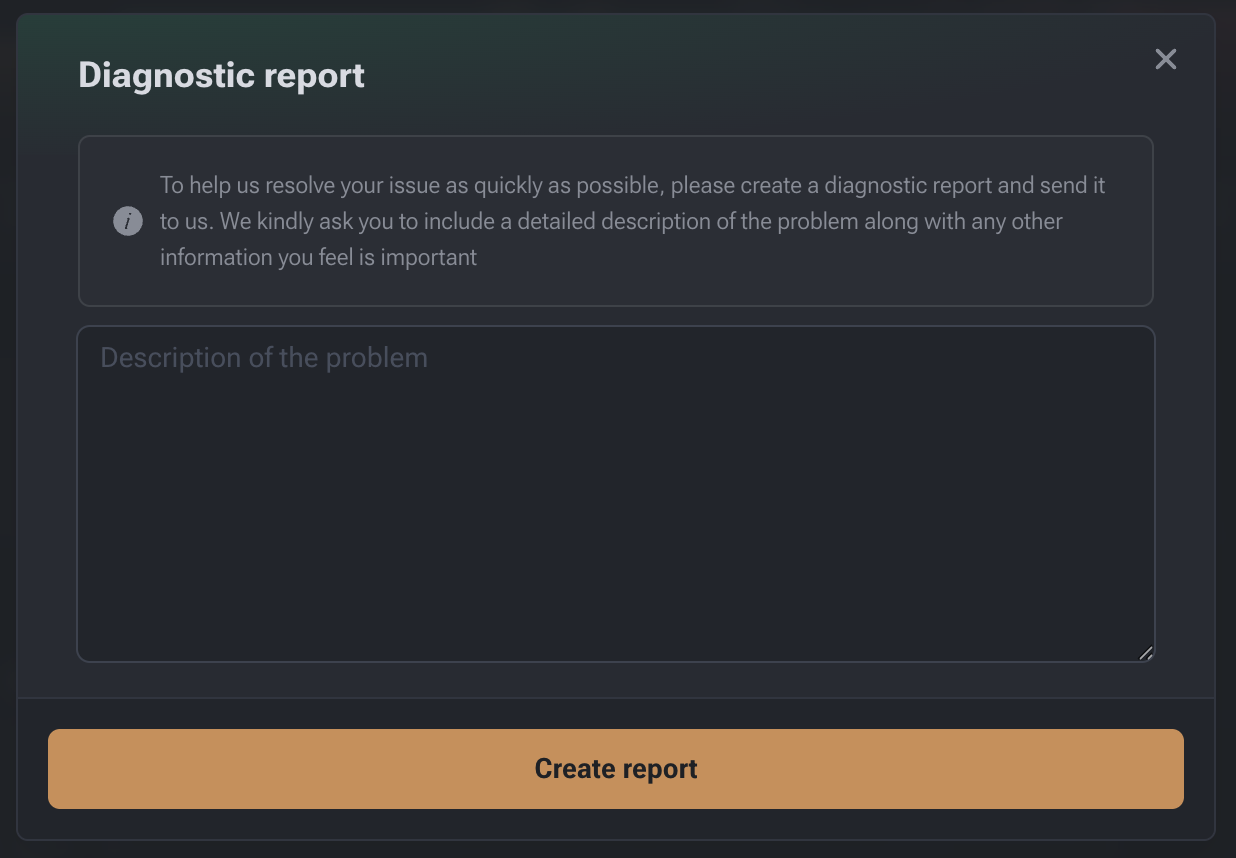
The Diagnostic Report feature is used to send complete technical information to support.
The report includes
- system and mining logs;
- board and chip status;
- cooling and power parameters;
- pool configuration;
- user-provided problem description.
How to create a report
- Click the report icon in the log panel.
- Enter a problem description:
- when it started;
- how it appears;
- how often it occurs;
- what has already been attempted.
- Click “Create Report”.
- Download the archive or send it to support (if integration is available).
Log Analysis Example
The event log allows you to reconstruct the device’s operational sequence.
Restarts and failures
- Repeated initialization attempts
Restarting (2 of 3) - Initialization errors
Miner initialization failed
Often related to firmware updates or incorrect settings.
The Logs section is the primary source of technical information about device operation.
It is the first place to check when issues arise.